Lyridia is getting to the point that it would be helpful to start making some concrete design choices. For instance, what’s the overall look that I want for the game? Am I sticking with the super-low-poly thing or a more traditional style with textures? It would also be helpful if I knew how some of the game mechanics were going to work, like NPC interactions, fighting mobs, etc. Unfortunately, I don’t know any of those things. And I guess that’s really the primary advantage of developing the game iteratively. I can add assets to the world now and then just update them later if they no longer fit the style of the game. Ultimately it creates more work but I really don’t have the resources to plan out the entire world before implementing it. Again, I realize this isn’t the “correct” way to do things, but it’s the only way I see making any progress. So for now, and for the foreseeable future, ugly, simple, awful art assets will be used in the game. The main thing is to just keep moving forward no matter what. At some point I will either hire some help or ask for help from the (currently non-existent) community of players to create better quality art assets for the game.
Author: Bvckshot
Penrith Forest 2018.05.31
Planning and DevelopmentAs the last day of May comes to a close I thought I’d post the state of Penrith Forest right now:

Standing on a hill looking over Penrith Forest
It’s a little hard to tell from the screenshot but the character is standing on a hill, not just floating ominously. Anyway, you can see here that I’ve been taking advantage of the new terrain editing tools. I made a ring of mountains all the way around Penrith Forest. Right now you can just walk up and over them, but eventually they will be a barrier to players going where they aren’t allowed. I also added some more trees, although many more are needed. I’m a little torn because the trees in a little game you may or may not be familiar with are HUGE!
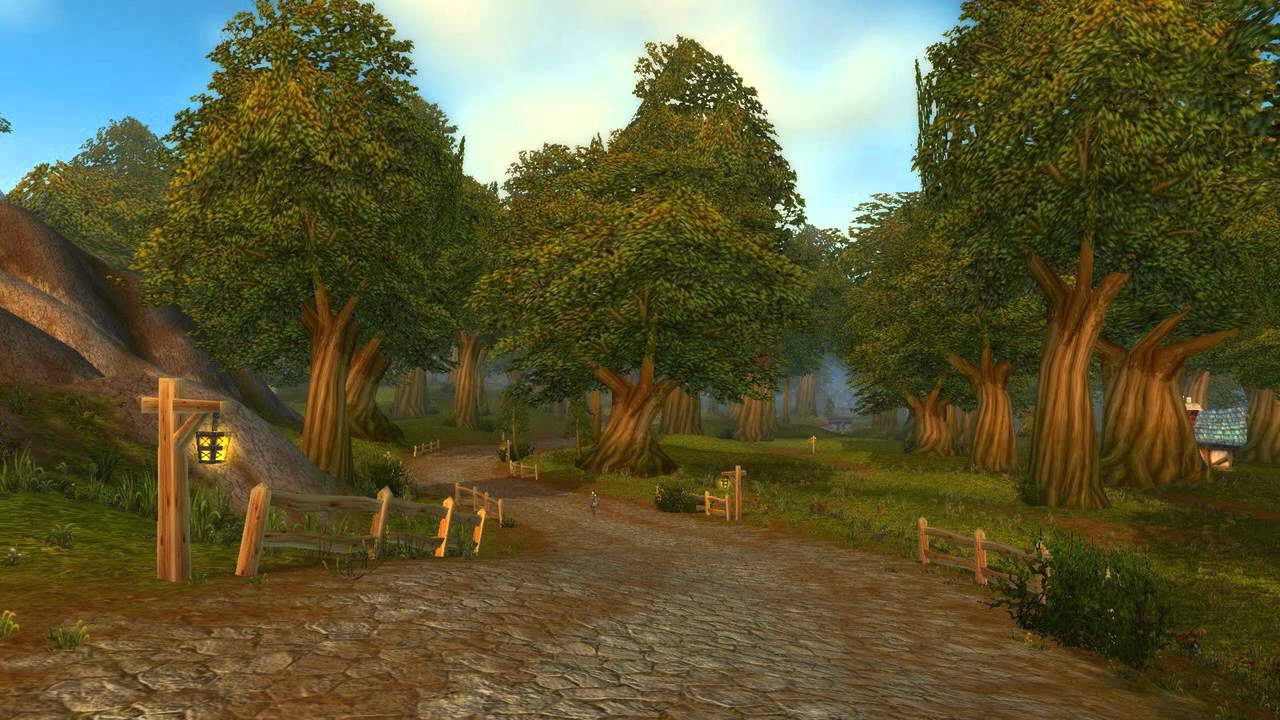 The trees in Penrith Forest are big, but not that big. The great thing about huge trees is that they take up so much screen space and very easily keep the world from feeling empty. This is a technique I may have to use because in the screenshot above I increased the fog distance by about 200 meters so you can see pretty much everything at once but eventually I’d like to keep that distance fairly low and have assets load dynamically for efficiency’s sake. But if the world feels empty because you can only see things less than 100 meters away that’s not going to work. Maybe huge trees (and huge buildings, for that matter) will help take up a lot of screen space so that it feels like you are “somewhere” all the time. We’ll see.
Editor improvements
Planning and DevelopmentI’ve implemented two very helpful features in the world editor, specifically for terrain editing. First, you can now change the strength of the raise/lower function. The selection sphere’s opacity gets lower (so more opaque) when the strength is higher, so you can see approximately how much the terrain will be affected by the tool. This is really helpful because when you want to make a mountain it’s almost impossible to use the tool at the same strength as when you are fine tuning the terrain around a building or other asset. Second, I added a smoothing tool. This is super, super helpful. The tool just takes the same selection sphere for raising/lowering and averages the height of all the vertices within the sphere, then moves each vertex part of the way toward that average with each onmousemove. It works almost unbelievably well and has already helped me make the terrain in Penrith Forest like 1,000% better.
Pigs on the MOVE!
Planning and DevelopmentOk, technically the boars were already moving around but now it’s not all jittery and jumpy. I found a fun little library called Tween.js that does, you guessed it, tweening. I have used the excellent CreateJS suite before and it includes tweening functionality, but Tween.js has examples specific to THREE.js so I went with it for now. In any case my boars are still walking around in a completely random pattern and their location only changes once per second, but in between those 1-second updates the boar model moves smoothly. This tweening thing will probably be a really big part of the whole project because rarely am I going to want anything in the world to just move instantly to a new location. Anyway, I’m excited about how Lyridia looks now and I need to decide what to do next.
More server control
Planning and DevelopmentAfter some more thinking about it and a little bit of testing I decided to see how complicated it would be to have the server completely control the movement of the boars. This involved a couple of steps. I installed THREE.js and a PNG library called PNGJS on the server using NPM. Then I had the server load in the height map for Penrith Forest and create a PlaneGeometry object with the geometry’s y values corresponding to the y values of the height map, i.e. a terrain. Then I moved over the function to calculate the terrain height at each boar’s x, z location and called it at each boar position update, then took the code that calculated the terrain height out of the client piece (to make sure updates were coming from the server) and just set each boar’s y value to whatever the server sends at each update. It works and makes sense.
This wasn’t a ton of work necessarily, but it was a big shift in thinking from the way the game has been coded up to this point. I think this is the way to go with the rest of the game, but I will definitely need to be careful to optimize the server side code because once the world gets very big at all sending updates for dozens or hundreds of entities to dozens or hundreds of connected clients multiple times per second is going to get very expensive in terms of bandwidth and just processing power on the server. It’s entirely possible that these issues will make the creation of a game in this fashion impossible from a practical standpoint, but I won’t know that until I get there so I see no alternative but to push forward and try to tackle challenges as they arise.
Next I’m going to try and smooth out the movement of the boars between server updates.
Piggies in a ditch
Planning and DevelopmentHere’s screenshot showing the boars following the terrain as they move around:
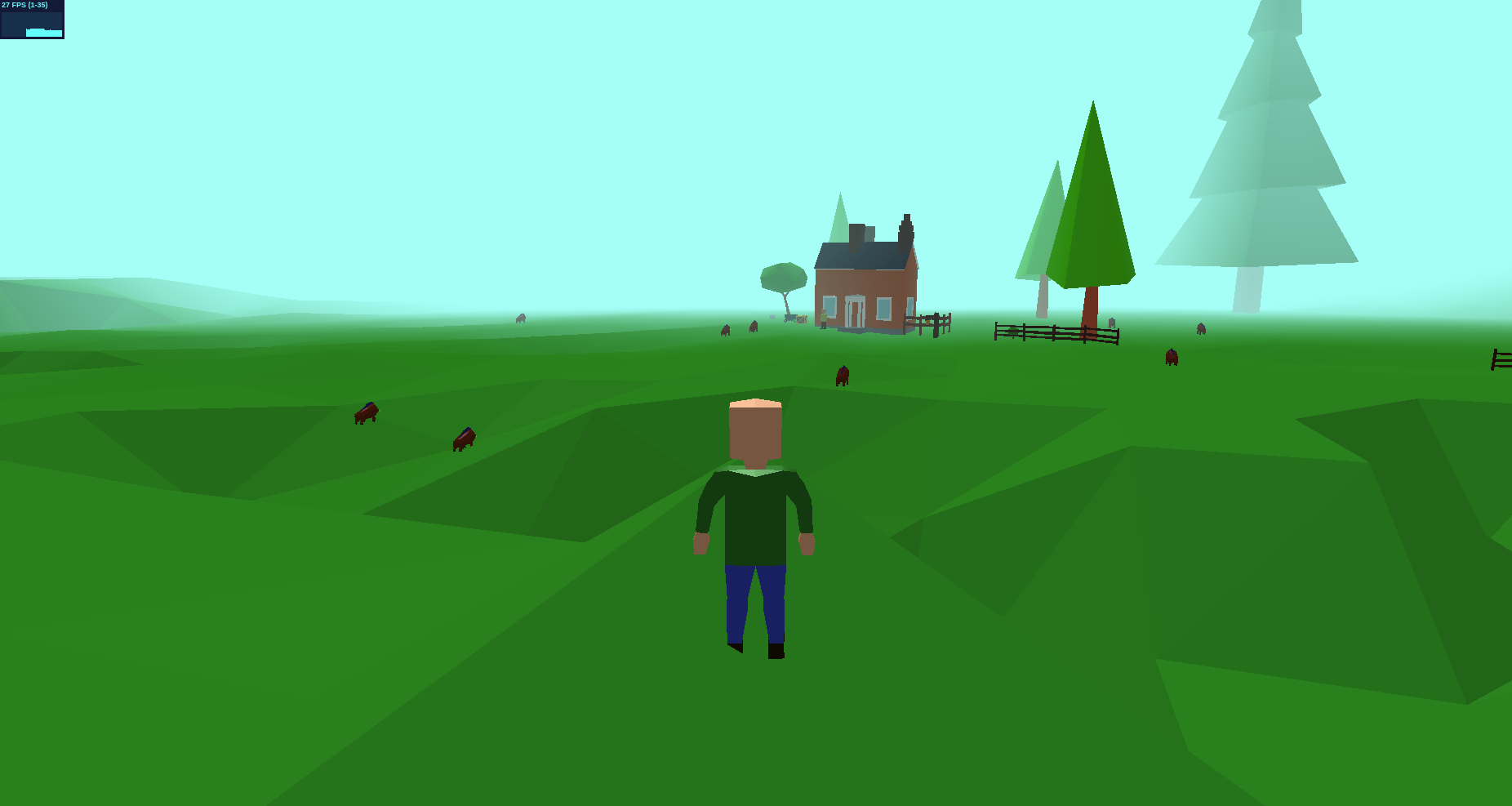 I’ve been thinking about how I want to do things like this. Specifically, how much I want the client to control the world, and how much the server should control. Right now the server only keeps up with the x and z coordinates of each boar. The client (browser) then takes those coordinates and figures out the terrain’s height at that point, then draws the boar there. I’m doing it this way because determining the terrain’s height requires access to the terrain data as well as the THREE.js raycasting function, and giving the server access to that information would make it much more complicated so I just haven’t done it yet. This probably isn’t a workable scheme in the long run. Soon enough I’ll want players to be able to attack the boars, but to do that I’ll need to know if the boar is within the player’s attack range, which will require definitive information about the boar and player’s x, y, and z positions. In order to prevent cheating or otherwise messing with the game, I think I’m going to have to assume the client is completely untrustworthy. It’s basically a terminal that displays what the server tells it to.
This is, of course, not the final answer on this topic. It’s something I will need to do much more research and testing on because I’m making some significant assumptions to come up with the conclusion above. But for now the boars roam around on the terrain and everyone is happy.
Animations workaround/fix
Planning and DevelopmentOn the THREE.js Discourse forum one of the suggestions I saw concerning my animations going wacky at large distances from the origin was to just put the SkinnedMesh at the origin, then move the world around it instead of moving the SkinnedMesh through the world. The end result should be the same. This seemed like a reasonable suggestion (although it doesn’t really address the underlying issue) but implementation seemed like it would be a real pain. Well, circumstances sort of forced me to give this a shot and after some fiddling I figured out I could accomplish this with 4 lines. These two go at the beginning of my update loop:
scene.position.set(0, 0, 0);
scene.updateMatrixWorld(true);
This puts the scene itself at the origin, then tells THREE.js to update the transform matrices of the scene and all its children. At least, I think that’s what it does. Then at the end of the update loop:
scene.position.copy(player.position.clone().negate());
camera.position.sub(player.position);
This moves the scene away from the origin in the opposite direction the amount the player is away from the origin, so it puts the player at (0, 0, 0). It then moves the camera so that it is looking at the player’s new position at the origin.
That’s it. It’s that simple. Now my animations play smoothly and I didn’t really have to change much. The center of the world is still at (130560, 0, 130560) and the player and enemies can move around all in that space, but when it gets rendered the system sees everything as being centered around (0, 0, 0).
I’m still looking forward to a fix in THREE.js r94, but if this works I may keep it this way even after the fix. Eh, we’ll see.
Animation update
Planning and DevelopmentThe export process has to be done just exactly so, but using FBX files looks like it’s going to work. I have a player character with terrible run, jump, and punch animations. When I move around in the scene the run animation plays. When I hit the space bar the jump animation plays. When I hit the ‘1’ key, the punch animation plays. The controls to transition between these actions or to play more than one at a time don’t exist yet, but I believe the animation system in THREE.js has fairly decent mechanisms to accomplish this. Next I need to work on my enemy pigs.
Happy Memorial Day everyone.
Animations are driving me crazy
Planning and DevelopmentThe reality is that the pipeline to use animated models exported from Blender into THREE.js just isn’t really ready yet. The glTF format is recommended for importing models into THREE.js going forward, but the Blender glTF exporter isn’t complete. It can only export a single animation per file, which is obviously insufficient for a game. Someone is working on improving the glTF exporter, but it’s impossible to know when that work will be done. I saw a thread on the THREE.js Discourse site mentioning the possibility of adding the option to play animations based on a range of frames. That would work just fine. I could just put the idle animation in the first 30 frames, the walk animation in the next 30, the run in the next 30, etc. Unfortunately this improvement isn’t on the roadmap for any particular release, so it may not ever be included.
I think that for now, until the glTF exporter is improved, I’m going to use FBX files. I don’t like that it’s a proprietary format, but it works in Blender and THREE.js today. Since the source files are all saved in Blender anyway, so when the glTF exporter is completed I can just re-export everything in that format then modify the game’s code to import glTF files. This creates more work for me in the long run but it also provides a way to move forward with the development of Lyridia.
v00002 (2018.05.24)
Release AnnouncementToday I’ve release v00002 of Chronicles of Tright: Lyridia. You can play by going to the Lyridia page in the top menu, or by clicking here. Things added in this version:
- Simple multiplayer support
- You can’t really interact with the world, but if multiple people are playing you should be able to see multiple characters walking around
- Basic animations
- Animations are actually a bit of a mess right now due to a bug in THREE.js. Hopefully they will get better after a new release in a few weeks.
- A starting point for adding enemies
- Right now there are 10 boars roaming around a specified region of Penrith Forest. You can’t interact with them and they don’t even move on top of the terrain, but it’s a start.
On a side note, I have added support for a development version of the Node server that runs the game. That means my development activities won’t break the game that’s running live, which is always a positive.
Check out the new version, and leave a comment with what you want to see added next.